For church media teams
Never miss a sermon.
SermonTrack knows your service schedule. Every Sunday morning, Sunday evening and midweek study becomes a slot that has to be accounted for — uploaded, marked “no recording”, or flagged as overdue. Nothing gets recorded on Sunday and quietly forgotten by Thursday.
Pilot churches pay nothing. No card, no contract.
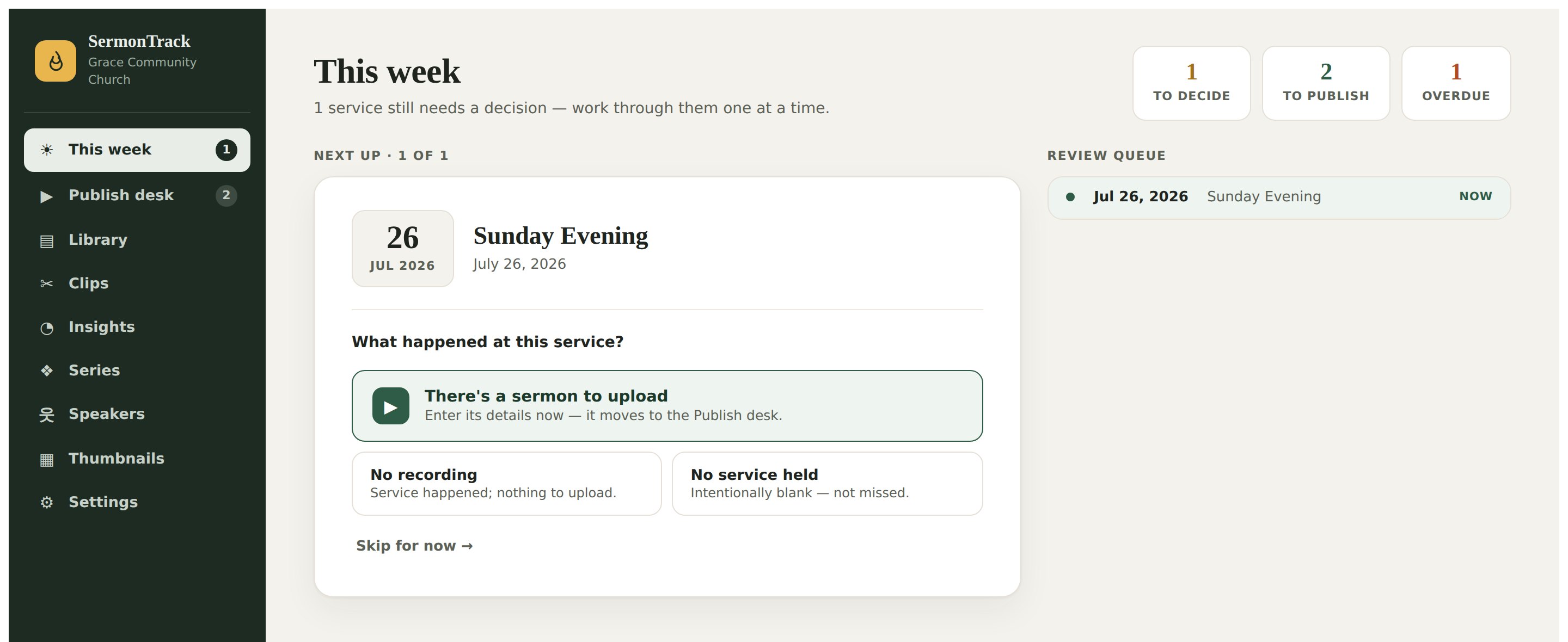
One decision at a time. The queue is your schedule, not a to‑do list somebody has to remember to write.
The gap nobody is watching
A sermon doesn’t go missing loudly.
It goes missing quietly — one busy week, one volunteer on holiday, one file that never made it off the SD card. Six months later somebody asks for the message from March and nobody can find it.
The week that slipped
The recording exists. The details were entered. It just never got uploaded — and no spreadsheet ever raised its hand about it.
Titles that drift
Three volunteers, three naming conventions, and an archive nobody can search. Series get orphaned, parts lose their numbers.
Holes in the record
Was there no evening service that week, or did it get missed? Without a schedule to check against, a blank looks exactly like a mistake.
How it works
Your schedule becomes the checklist.
Tell SermonTrack when your services are. It generates the slots, and then it will not stop asking about them.
Decide, don’t remember
Every generated slot needs one of three answers: there’s a sermon to upload, there was no recording, or there was no service. “Accounted for” is a real state — so a deliberate blank never looks like a failure, and a failure never hides in a blank.
- Recurring services, holidays and one-off events
- Overdue after a threshold you set (14 days by default)
- Shared by the whole team — changes save live
Everything YouTube needs, ready to paste
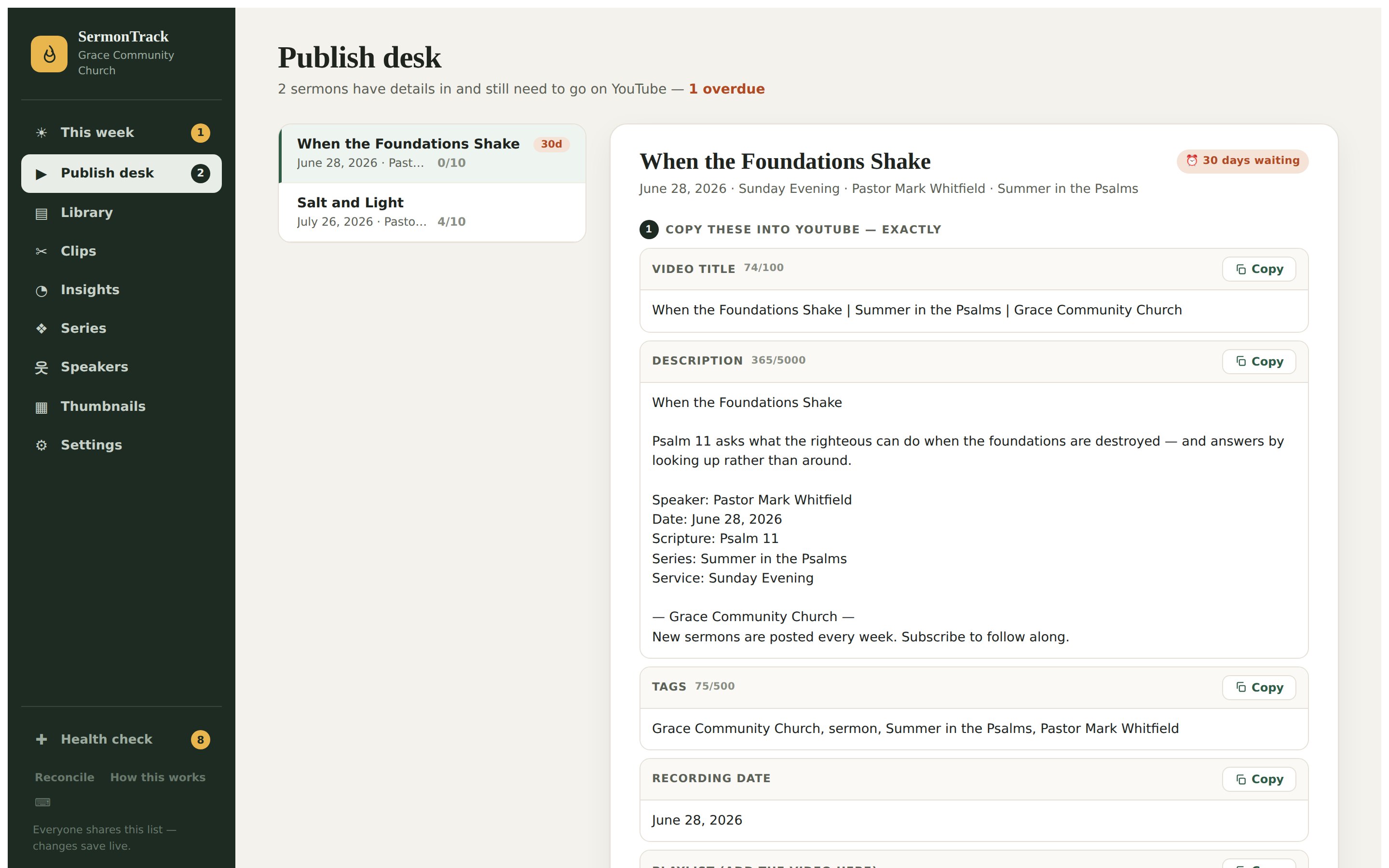
The publish desk composes the title, description and tags from your own templates and the sermon’s details — consistent every single week, whoever is on rota. Then a ten-step checklist walks the uploader through YouTube itself, and the clock on an unpublished sermon is right there in red.
- Title / description / tag templates with series part numbering
- Optional AI drafting for titles, descriptions and summaries
- A per-element thumbnail composer, so covers match the series
And the record stays honest
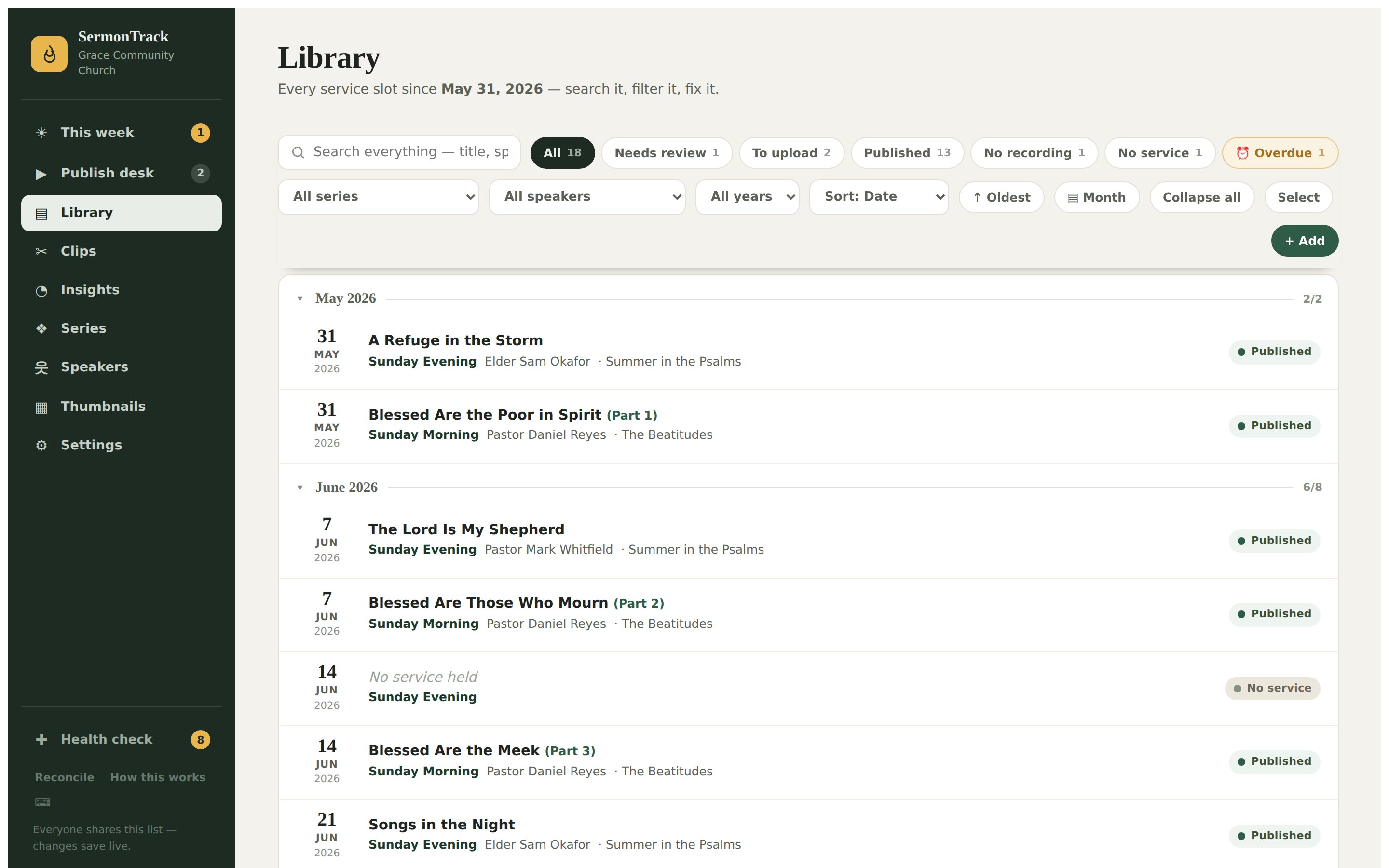
The library holds every slot since the day you started — published, skipped, or still open — searchable by title, speaker, series and scripture. Reconcile reads your YouTube channel back and tells you what’s actually live, so the tracker and the channel can’t quietly disagree.
- Filter by needs-review, to-upload, published, overdue
- Read-only YouTube reconciliation — nothing is changed behind your back
- Health check surfaces gaps, duplicates and broken links
In the box
It replaces more than a spreadsheet.
The tracker is the reason to buy it. These are the reasons a church stops paying for something else.
Podcast feed
A real RSS feed from your uploaded audio — submit it once to Apple Podcasts and Spotify, and every new sermon appears.
Public archive
A searchable sermon page per series and per message, with structured data and a video sitemap so they show up in search.
Website widget
One embed snippet drops the latest sermons onto your existing church site. No plugin, no theme surgery.
Transcripts
Pull official captions or transcribe uploaded audio, then search every word your church has ever preached.
Clip finder
AI reads the transcript and proposes shorts with verbatim in/out quotes — you cut them in the editor you already use.
Thumbnail composer
Series backgrounds, per-element type controls and saved styles, so every cover looks like it belongs to the same church.
Scheduled backups
Your whole archive to Google Drive, OneDrive, Dropbox or S3 on a timer — with alerts if a backup ever fails.
Passwordless sign-in
Magic-link logins with admin and editor roles. No shared password taped to the sound desk.
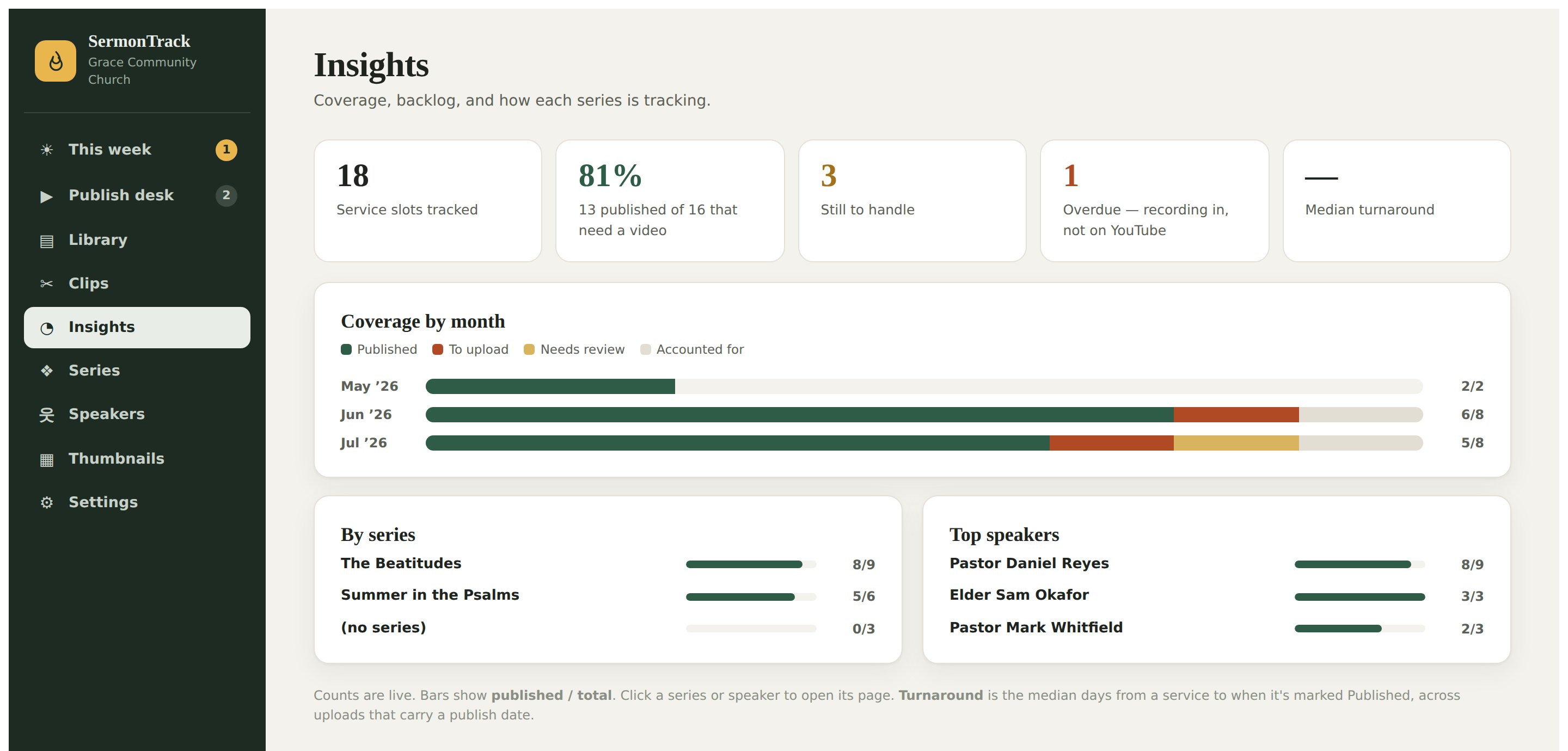
Coverage by month, by series and by speaker — the answer to “are we actually keeping up?”
Pricing
Priced for a church, not an agency.
Every plan is one church, unlimited services, unlimited people on the team. Monthly or annual, cancel whenever — your data leaves with you.
Tracker
The accountability loop, the podcast and the public archive.
billed annually · $29 month‑to‑month
- Schedule tracking & overdue alerts
- Publish desk, templates & checklist
- Podcast RSS feed + audio hosting
- Public archive, widget & sitemap
- Thumbnail composer
- YouTube reconciliation
- Scheduled cloud backups
- AI drafting & clip finder
Tracker + AI
Everything above, plus the AI work done for you — no keys to manage.
billed annually · $49 month‑to‑month
- Everything in Tracker
- AI titles, descriptions & summaries
- AI clip finder with verbatim quotes
- Automatic transcription of uploaded audio
- Generous monthly AI + transcription allowance
- Extra audio storage for the podcast
- Usage visible in-app, never a surprise bill
- Priority support
Self-hosted
Run it yourself on your own server, with your own API keys.
you supply the server and the keys
- The same application
- Docker image + compose file
- Your data never leaves your building
- Bring your own Google / AI credentials
- Hosting, updates & backups are yours
- No bundled AI allowance
- Community support only
Prices in USD, excluding any local tax. AI and transcription allowances are metered per month and shown inside the app — if you’d rather use your own Anthropic or OpenAI key, you can, on any plan, and it isn’t metered at all.
Pilot programme
Tell us about your church.
Two minutes. We’ll reply personally — no drip sequence, no sales call.
Questions
The things churches ask first.
Do you upload the videos for us?
No — and that’s deliberate. SermonTrack never posts to your channel on its own. It prepares everything YouTube asks for and walks a person through the upload, and it reads your channel back afterwards to confirm what actually went live. Your channel stays under your control.
Who owns the data?
You do. Your sermons, audio, transcripts and settings are yours; we hold them to run the service. You can download the whole archive as a single file at any time from inside the app, and if you leave you take it with you.
Does it work with the sermons we’ve already published?
Yes. Import your back catalogue from a spreadsheet, or let reconciliation read your existing YouTube uploads and match them to service dates. Most churches start with several years of history already in place.
Do we have to use the AI features?
Not at all. Every AI feature is optional and off until you ask for it, and drafts are always something a person edits and approves before anything is published. The Tracker plan has no AI at all.
If you’d rather use your own Anthropic or OpenAI account, you can put your key in on any plan — then the AI bill is yours and we don’t meter it.
Can we run it on our own server?
Yes. SermonTrack runs as a single container with a JSON data directory — no database to operate. Self-hosting is free and stays supported; you bring the server and your own API keys. Hosted plans exist because most churches would rather not.
What happens to our sermons if we stop paying?
Your videos are on your own YouTube channel and stay there regardless. Before your instance is closed you get a window to download the full archive, and we’ll help you move it — including into a self-hosted copy.